How to Pay for a Featured Profile with Bitcoin: A Step-by-Step Guide
Everything about paying for a featured profile with Bitcoin: why we use it, plans and prices, where to buy your first Bitcoin, how to pay the invoice, and how to fix the most common problems.
World Escort Girls editorial team 7 min read
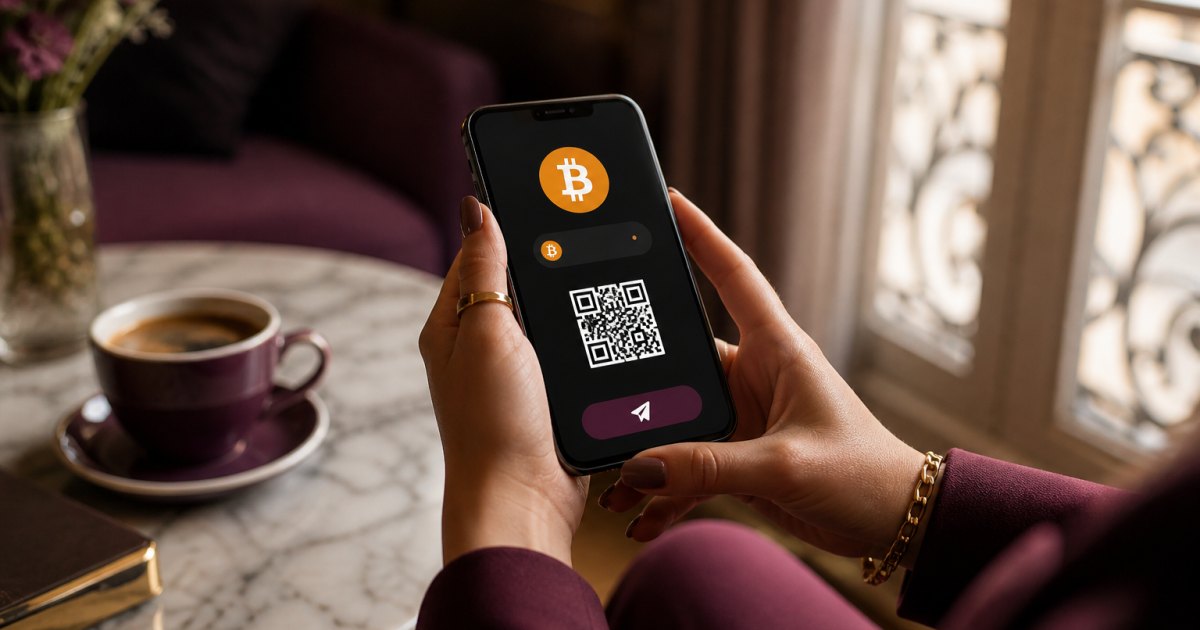
A featured profile is the fastest way to get more views and calls on World Escort Girls: on this site, featured profiles get several times more views and many times more phone clicks than ordinary ones. You pay for a featured plan with Bitcoin. If you have never paid with Bitcoin before, don't worry: it takes about ten minutes the first time, and this guide walks you through every step, from buying your first Bitcoin to seeing the featured badge on your profile.
Why we take Bitcoin
Card companies and many payment providers refuse to work with adult advertising sites, or close accounts without warning. Bitcoin gives us, and you, a payment method that nobody can switch off. It also has real advantages for advertisers:
- Privacy. You don't enter card details or a billing address. Your bank statement shows a purchase of Bitcoin, not a payment to an escort directory.
- No middleman. Payments go through our own payment server (BTCPay Server). No third-party processor sees or stores your order.
- Fast. There are no bank transfers that take days. Your plan starts automatically as soon as the payment is confirmed, usually within minutes.
- Works everywhere. It is the same in every country, in every currency.
Plans and prices
Prices are in euros. You pay the equivalent in Bitcoin at the exchange rate when you order.
- Featured Profile, 1 month: 25 EUR
- Featured Profile, 3 months: 50 EUR (16.67 EUR a month)
- Agency 5 Pack: 50 EUR, five of your profiles featured for a month (10 EUR per profile)
- Agency 10 Pack: 90 EUR, ten profiles featured for a month (9 EUR per profile)
A featured profile appears in the featured row at the top of the home page and before every other profile on the first page of its country list. Creating an account and a normal profile stays free. See all details on the Featured Profiles page.
Step 1: Get some Bitcoin before you order
This is the step people most often skip, and the main reason payments fail. The payment page is valid for a limited time only, so have the Bitcoin ready in your app before you click order. Buying Bitcoin for the first time can involve an identity check that takes longer than the payment page lasts.
The easiest options:
- Revolut. If you already use Revolut, open Crypto, choose Bitcoin and buy the amount you need. It takes a minute and works well with our payment page.
- A crypto exchange such as Kraken, Coinbase, Bitstamp or Binance. Sign up, verify your identity once, then buy Bitcoin by card or bank transfer.
- A Bitcoin wallet app such as Phoenix or BlueWallet. Some let you buy directly in the app; otherwise buy on an exchange and send it to the wallet.
Buy a little more than the price of your plan, around 10–15% extra. The exchange rate moves, and your app may charge a fee when you send. Whatever is left stays in your app for next time.
Step 2: Choose your plan
- Log in to your account. If you don't have one yet, sign up and add your profile first; it is free.
- Open Featured & packages in your account menu.
- Pick a plan and, for a single plan, the profile you want to feature.
- Click Pay with Bitcoin.
You are taken to the secure payment page, which shows the amount in Bitcoin, a QR code, the Bitcoin address and a countdown timer.
Step 3: Pay the invoice
The payment page shows exactly how much Bitcoin to send and where to send it. There are two ways to pay:
- Scan the QR code with your Bitcoin app. On a phone, you can also tap the payment link to open your wallet app directly.
- Copy and paste. If your app cannot read the QR code, copy the Bitcoin address and the exact amount from the payment page and paste them into your app. This always works.
Use the Send or Withdraw function of your app, to an external address on the Bitcoin network. A few practical notes for the most common apps:
- Revolut: Crypto > Bitcoin > Send, then paste the address and the amount. Choose the Bitcoin network if asked.
- Exchanges (Kraken, Coinbase, Binance and others): use Withdraw or Send, select Bitcoin (BTC) and the Bitcoin network, not a token on another network.
- Phoenix, BlueWallet and other wallets: tap Send and scan the QR code, or paste the address.
Don't use a "Pay" button meant for shops, such as Crypto.com Pay. Those buttons only read the shop's own codes and will not recognise our payment page.
Step 4: Make sure the full amount arrives
Some apps take their fee from the amount you send, so less arrives than you typed in. Before you confirm, check the line that says how much the recipient gets. If it is less than the amount on our payment page, increase the amount slightly. Paying a little too much is never a problem; paying too little means the invoice cannot complete.
Step 5: Wait for the confirmation
Once you have sent the payment, the payment page notices it within seconds and takes you back to your order on World Escort Girls. The Bitcoin network then confirms the payment. This usually takes a few minutes, and up to an hour when the network is very busy.
You don't need to keep the page open. As soon as the payment is confirmed:
- your plan starts automatically and your profile becomes featured;
- you receive a confirmation e-mail;
- the order appears in your Payment history.
If you bought an agency pack, the pack appears under Featured & packages. Choose which of your profiles to feature, one by one, any time while the pack is valid.
Common problems and how to solve them
The timer ran out before I paid
Nothing is lost. The order is simply cancelled. Go back to Featured & packages and order again; you get a new payment page with a fresh exchange rate. This time, have the Bitcoin ready in your app first.
My app cannot read the QR code
Copy the address and the amount from the payment page and paste them into your app's Send screen. Make sure you copy the full address.
I sent the payment but the order still shows as pending
The Bitcoin network may still be confirming it. Wait a few minutes and refresh the payment page. If it still shows pending after an hour, contact us with your order reference; it is shown on the payment page and in your account.
Less arrived than the invoice amount
This happens when the app takes its fee from the amount sent. The invoice cannot complete with a partial payment. Contact us with your order reference and we will sort it out.
I sent Bitcoin on the wrong network
Our payment page accepts Bitcoin on the Bitcoin network only. Tokens on other networks (such as "BTC" on BNB Smart Chain or Ethereum) do not arrive. Always choose the Bitcoin network when your app asks.
Frequently asked questions
Do I need to understand Bitcoin to pay?
No. You only need an app that holds some Bitcoin and can send it to an address. If you use Revolut, you already have one.
Is the price fixed?
Yes, in euros. The Bitcoin amount is calculated when you order and stays fixed while the payment page is open.
Can I extend my featured plan before it ends?
Yes. A plan bought while your profile is featured starts when the current period ends, so you lose no days. We also e-mail you a few days before your plan ends.
What happens when the featured period ends?
Your profile stays online as a normal profile. Nothing is deleted.
Do you see my name or bank details?
No. We only see that the invoice for your order was paid. Bitcoin payments don't carry your name or card details.
Can I get a refund?
Bitcoin payments cannot be reversed by the sender, so please check the plan and the profile before you order. If something went wrong with an order, contact us and we will find a solution.
Quick checklist
- Bitcoin in your app, about 10–15% more than the plan price
- The plan and the profile chosen under Featured & packages
- Send or Withdraw to an external address, on the Bitcoin network
- The exact amount arriving, after the app's fee
- Payment sent before the timer runs out
Before you feature your profile, make sure it is in its best shape: our tips for advertisers show how to get the most out of every view. Then choose your plan and let more visitors find you.